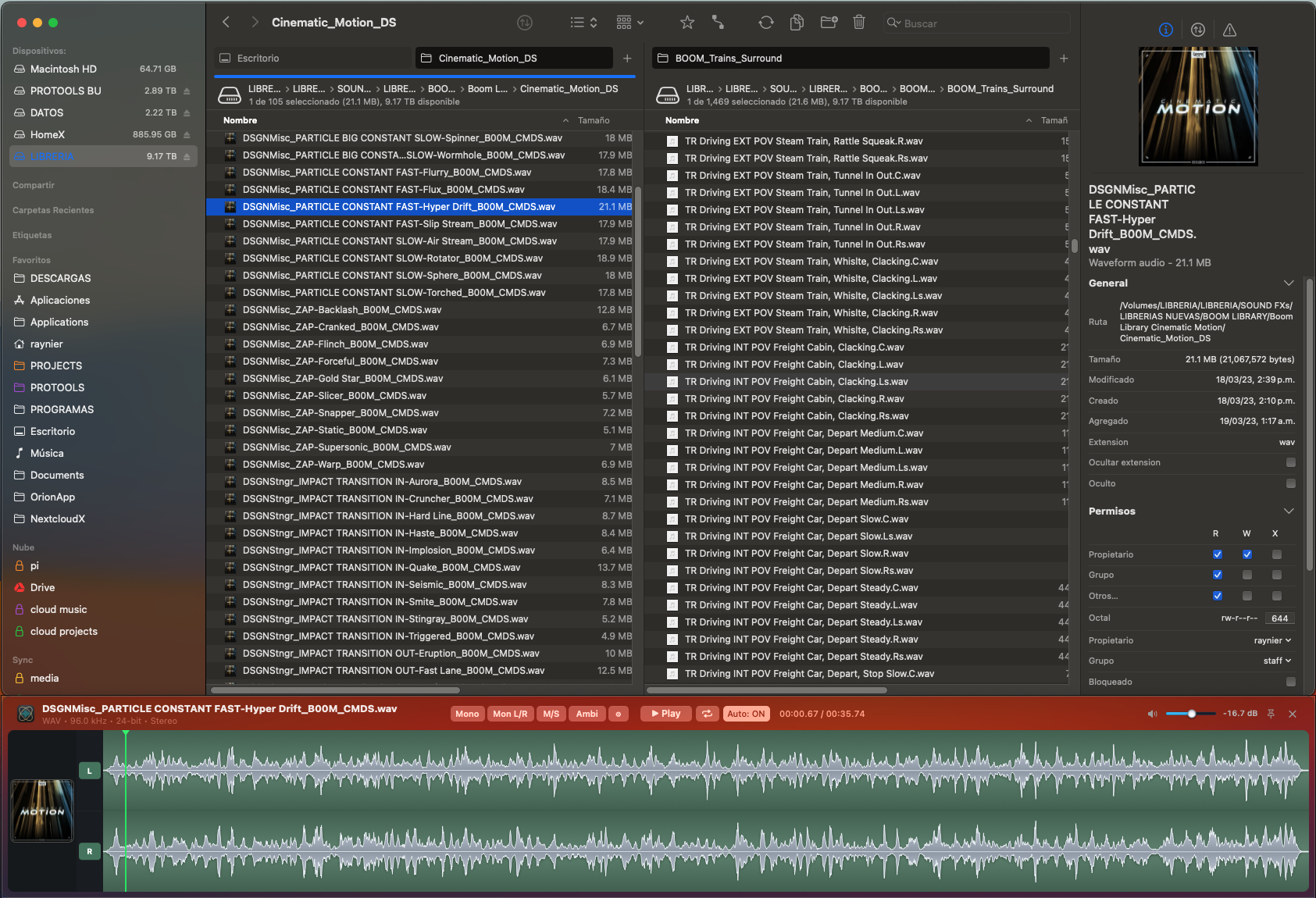
Soundtracker turns browsing your sound library into an instrument. Click any file in Finder, ForkLift or your file manager and it plays instantly — scrub the waveform, mark a snippet, and drag a clean 24-bit render straight into your DAW, with a built-in 3D Ambisonics monitor.

Soundtracker follows your active Finder, ForkLift or file-manager window and docks to its lower edge as a dark, translucent HUD. Select any audio file — or move through the list with the arrow keys — and playback starts instantly, with the file's sample rate, bit depth and channel format always in view.
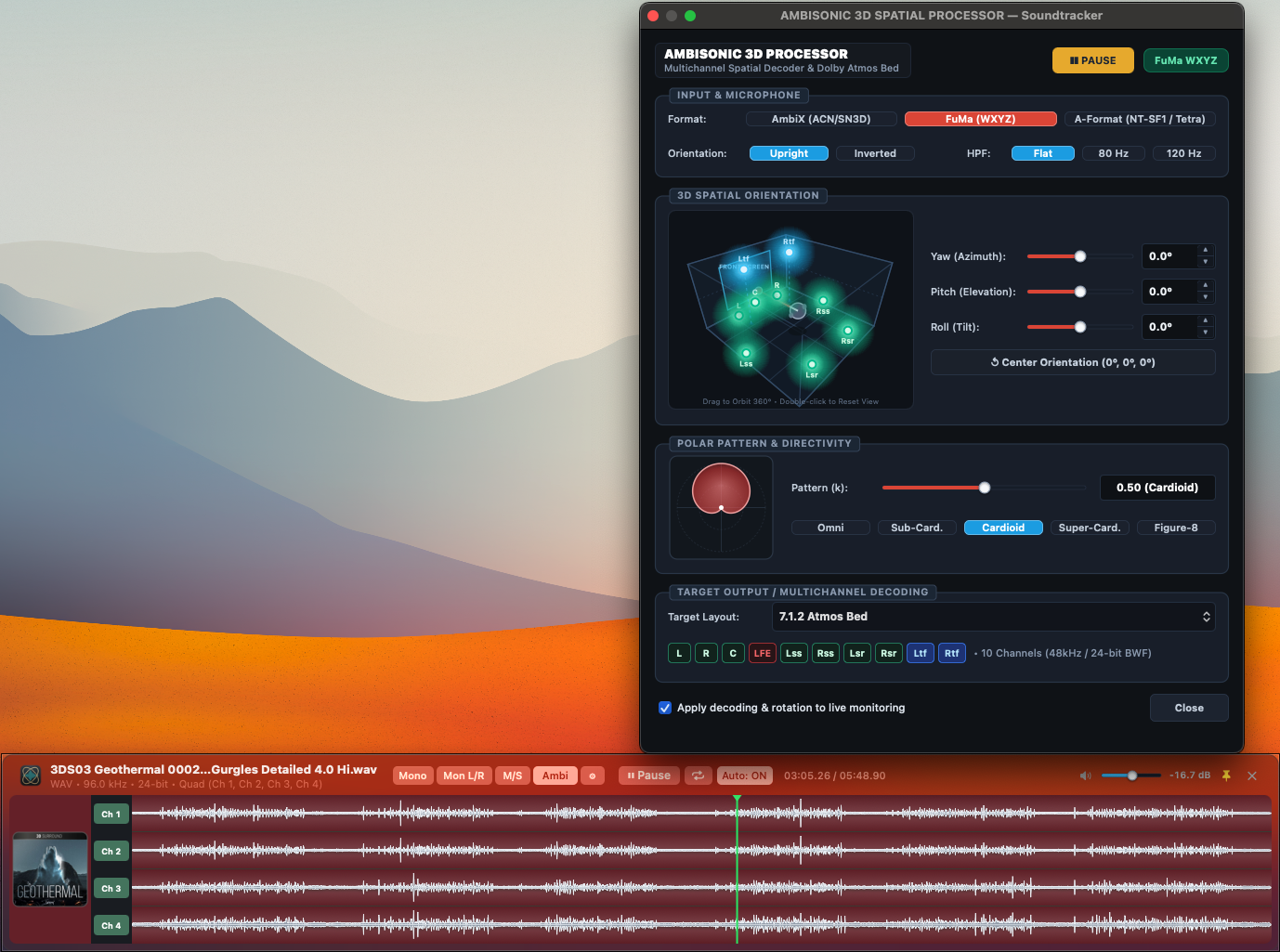
The built-in Ambisonic 3D Spatial Processor reads AmbiX (ACN/SN3D) or FuMa (WXYZ) sources, lets you aim the soundfield with 3D Yaw, Pitch and Roll, and decodes to a 10-channel 7.1.2 Atmos bed — writing the channel layout into the exported WAV so your DAW maps every speaker correctly.
Everything you need to audition, trim and deliver sound faster — native to macOS and Apple Silicon.
Click or arrow through files and playback begins immediately, with near-zero latency — no import, no waiting.
Accelerated peak extraction renders a 96 kHz / 24-bit file in about 11 ms, with a high-definition waveform and an animated playhead.
Drag across the waveform to mark an exact region. Soundtracker auditions only that selection, with loop playback when you need it.
Drag the waveform to drop the full file, or a marked selection as a clean, uncompressed 24-bit WAV, straight into your DAW — Pro Tools, Reaper, Logic and more.
A dark, translucent panel that tracks your active Finder, ForkLift or file-manager window and stays docked to its edge, out of the way of your work.
Monitor in Mono, Mono L/R, M/S or Ambisonics, decoding to 2.0, 4.0, 5.0, 7.0 or a 7.1.2 Atmos bed with embedded channel-layout metadata.
…or download 15-day free trial first
Secure payment via Apple Pay, card or PayPal. Your license file is sent after purchase.
Need to reactivate or move machines? Contact us directly at [email protected]